> ## Documentation Index
> Fetch the complete documentation index at: https://docs.macroscope.com/llms.txt
> Use this file to discover all available pages before exploring further.
# Approvability
> Auto-approve low-risk PRs that pass code review
Disabled by default. Enable per repo in **Settings → Repos → Approvability**.
 ## How It Works
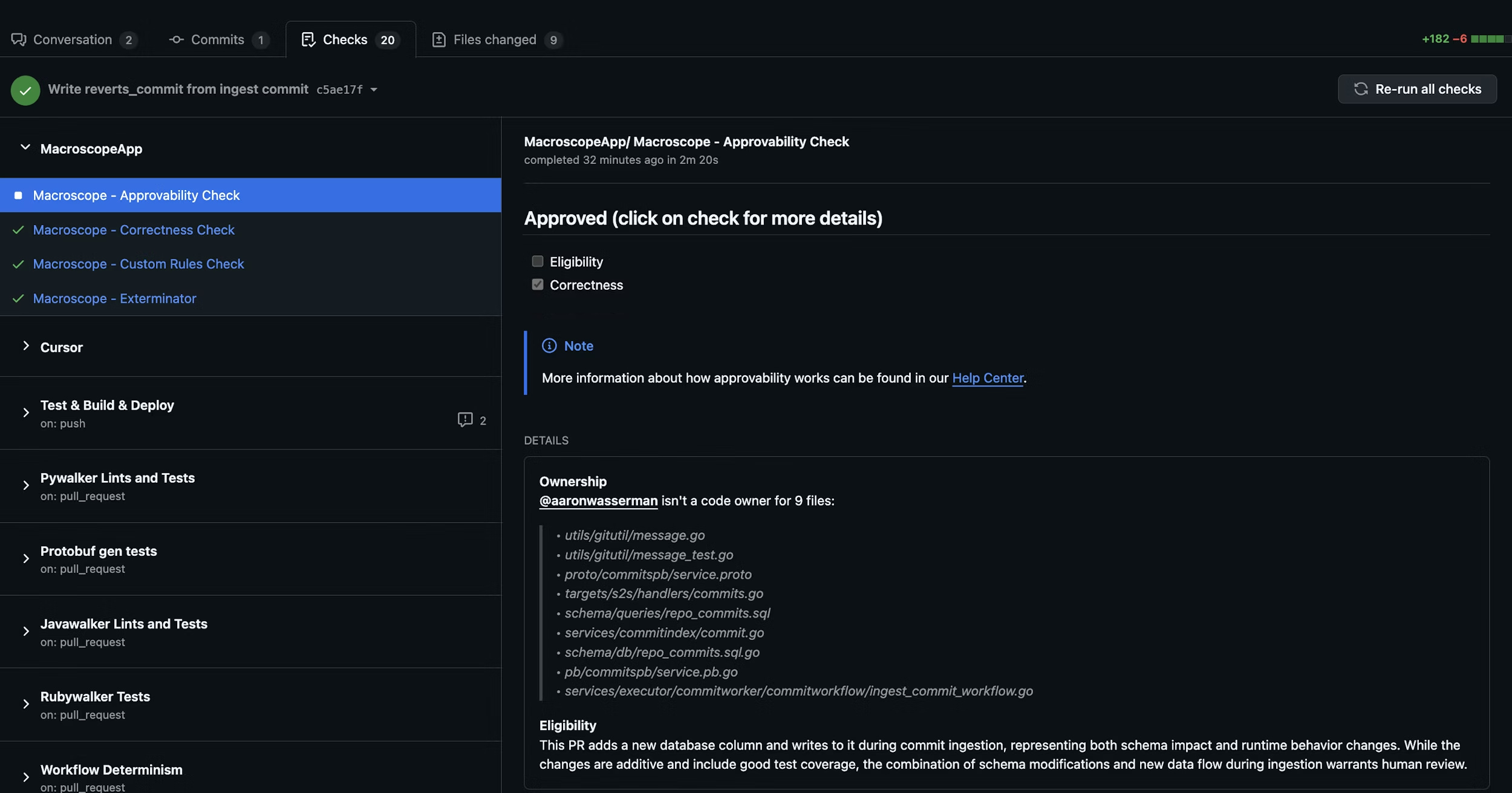
When a PR is opened or updated, Macroscope evaluates up to three criteria before auto-approving. Ownership (via CODEOWNERS) is disabled by default; Eligibility and Correctness are always active. All active criteria must pass for auto-approval — if any fail, the PR can still be approved manually.
### 1. Eligibility
Is this PR a good candidate for auto-approval? Macroscope evaluates the changes, code ownership, git blame history, and the author's role.
If your repo has a `CODEOWNERS` file, Macroscope factors in the author's relationship to changed files.
* **Typically eligible**: docs, tests, code behind feature flags, simple bug fixes, copy changes.
* **Not eligible**: large refactors, schema changes, security/auth/billing code, breaking changes.
### 2. Correctness
Did the PR pass Macroscope's code review with zero issues flagged?
By default, correctness is a **hard gate**: an outstanding correctness comment at or above your repo's Minimum Blocking Severity blocks auto-approval, no matter how the Eligibility judgment came out. Resolve the comment, 👎 it, or mark it addressed and the next Approvability run will clear the gate. There is exactly one way to switch that gating off — [Letting Eligibility decide correctness instead](#letting-eligibility-decide-correctness-instead) — and it applies to everything in this section, not just the severity threshold.
A correctness review that cannot report blocks as well: if the review finds issues but is unable to post them, Approvability reports **Unable to determine (correctness unavailable)** rather than approving on findings nobody can see. The opt-out covers this case too — a repo whose guidelines tell Macroscope to ignore correctness is not held up by an unreportable review either, and Eligibility decides alone, so such a PR can still be auto-approved.
A review that deliberately did **not** run — code review disabled for the repo, no reviewable code in the PR, or a review limit reached — never blocks, opted out or not. Comments an *earlier* review already posted still count, though: they stay outstanding until resolved, so a skipped review does not clear a blocker a previous one raised.
#### Minimum Blocking Severity
**Minimum Blocking Severity** is a per-repo setting that controls which severity of unresolved correctness comments blocks auto-approval. Outstanding correctness comments at or above the configured severity block approval; comments below the threshold do not. Choose from **Low**, **Medium**, **High**, or **Critical** — the default is **Medium**.
Find it in **Settings → Repos → Approvability** (shown once Approvability is enabled). Only a **GitHub Admin** can change it.
A comment counts as outstanding until it is resolved on GitHub, marked as addressed, 👎'd, or deleted. Comments with no recorded severity are treated as **Medium**.
The threshold applies to the Eligibility judgment as well: a Macroscope correctness comment below it does not, on its own, send the PR to human review. Comments at or above the threshold still do, and so does anything else that warrants review — a comment from a human reviewer or another tool, or the nature of the changes themselves.
#### Letting Eligibility decide correctness instead
There is one way to turn the correctness gate off, and it is not a setting: state it in your [custom eligibility rules](#custom-eligibility-rules). If your `.macroscope/approvability.md` **explicitly** says correctness issues must not factor into approvability, Macroscope stops treating correctness as a gate for that repo and lets the Eligibility judgment weigh the findings on its own:
```
Correctness issues and bugs found by code review must NOT factor into the
approvability decision. Judge this PR on the nature of the change alone.
```
This has to be explicit about correctness issues or bugs. Guidelines that only mention external reviewers' comments do not qualify, and silence or ambiguity leaves the gate on. There is no severity setting for "never block" — this is the escape hatch, so the choice stays visible in your repo instead of buried in a settings page.
***
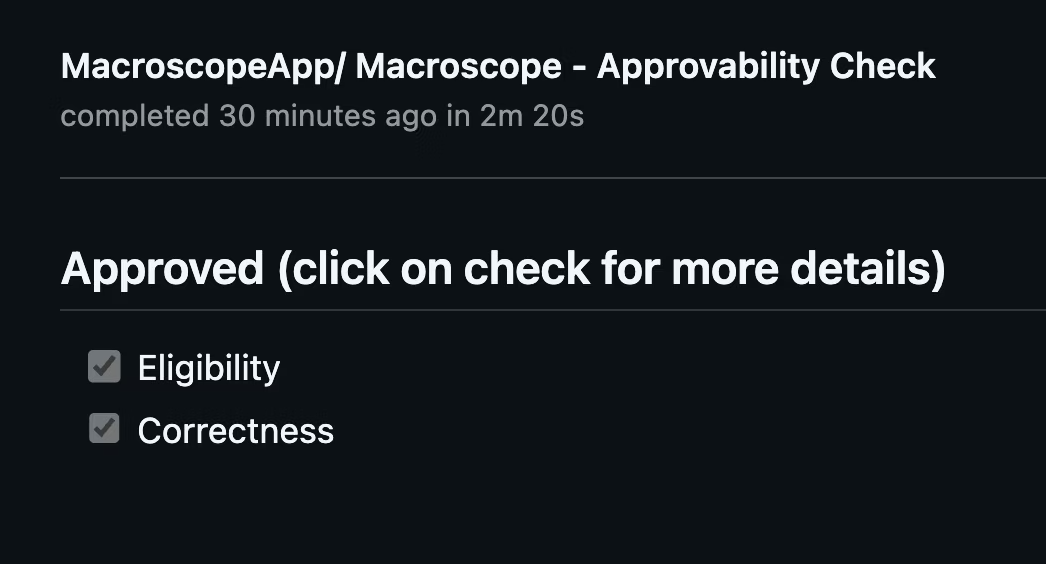
Results appear as `Macroscope - Approvability Check` in the Checks tab and as a PR comment with detailed reasoning.
## How It Works
When a PR is opened or updated, Macroscope evaluates up to three criteria before auto-approving. Ownership (via CODEOWNERS) is disabled by default; Eligibility and Correctness are always active. All active criteria must pass for auto-approval — if any fail, the PR can still be approved manually.
### 1. Eligibility
Is this PR a good candidate for auto-approval? Macroscope evaluates the changes, code ownership, git blame history, and the author's role.
If your repo has a `CODEOWNERS` file, Macroscope factors in the author's relationship to changed files.
* **Typically eligible**: docs, tests, code behind feature flags, simple bug fixes, copy changes.
* **Not eligible**: large refactors, schema changes, security/auth/billing code, breaking changes.
### 2. Correctness
Did the PR pass Macroscope's code review with zero issues flagged?
By default, correctness is a **hard gate**: an outstanding correctness comment at or above your repo's Minimum Blocking Severity blocks auto-approval, no matter how the Eligibility judgment came out. Resolve the comment, 👎 it, or mark it addressed and the next Approvability run will clear the gate. There is exactly one way to switch that gating off — [Letting Eligibility decide correctness instead](#letting-eligibility-decide-correctness-instead) — and it applies to everything in this section, not just the severity threshold.
A correctness review that cannot report blocks as well: if the review finds issues but is unable to post them, Approvability reports **Unable to determine (correctness unavailable)** rather than approving on findings nobody can see. The opt-out covers this case too — a repo whose guidelines tell Macroscope to ignore correctness is not held up by an unreportable review either, and Eligibility decides alone, so such a PR can still be auto-approved.
A review that deliberately did **not** run — code review disabled for the repo, no reviewable code in the PR, or a review limit reached — never blocks, opted out or not. Comments an *earlier* review already posted still count, though: they stay outstanding until resolved, so a skipped review does not clear a blocker a previous one raised.
#### Minimum Blocking Severity
**Minimum Blocking Severity** is a per-repo setting that controls which severity of unresolved correctness comments blocks auto-approval. Outstanding correctness comments at or above the configured severity block approval; comments below the threshold do not. Choose from **Low**, **Medium**, **High**, or **Critical** — the default is **Medium**.
Find it in **Settings → Repos → Approvability** (shown once Approvability is enabled). Only a **GitHub Admin** can change it.
A comment counts as outstanding until it is resolved on GitHub, marked as addressed, 👎'd, or deleted. Comments with no recorded severity are treated as **Medium**.
The threshold applies to the Eligibility judgment as well: a Macroscope correctness comment below it does not, on its own, send the PR to human review. Comments at or above the threshold still do, and so does anything else that warrants review — a comment from a human reviewer or another tool, or the nature of the changes themselves.
#### Letting Eligibility decide correctness instead
There is one way to turn the correctness gate off, and it is not a setting: state it in your [custom eligibility rules](#custom-eligibility-rules). If your `.macroscope/approvability.md` **explicitly** says correctness issues must not factor into approvability, Macroscope stops treating correctness as a gate for that repo and lets the Eligibility judgment weigh the findings on its own:
```
Correctness issues and bugs found by code review must NOT factor into the
approvability decision. Judge this PR on the nature of the change alone.
```
This has to be explicit about correctness issues or bugs. Guidelines that only mention external reviewers' comments do not qualify, and silence or ambiguity leaves the gate on. There is no severity setting for "never block" — this is the escape hatch, so the choice stays visible in your repo instead of buried in a settings page.
***
Results appear as `Macroscope - Approvability Check` in the Checks tab and as a PR comment with detailed reasoning.
 ## Custom Eligibility Rules
Add a `.macroscope/approvability.md` file to your repo to define rules on top of the defaults. Your custom rules are **additive** — they are combined with the built-in eligibility criteria, not a replacement.
### Plain text rules
The simplest approach is a plain markdown file with your rules:
```
If a PR changes files in any of the following paths, DO NOT auto-approve:
- services/auth
- services/billing
- targets/auth
```
### Front matter configuration
For more control, add YAML front matter to configure the approvability agent's behavior:
```markdown theme={null}
---
tools:
- github_api_read_only
- modify_pr
conclusion: neutral
---
If a PR changes files in any of the following paths, DO NOT auto-approve:
- services/auth
- services/billing
- targets/auth
If the verdict is "needs human review" and the PR touches services/auth/,
request a review from @security-team.
```
#### Supported fields
| Field | Default | Description |
| ----------------- | ----------------------------------------------------- | ----------------------------------------------------------------------------------------------------------------------------------------------------------------------------------------------------------------------------------------------------------------------------------------------------------------------------------------------------------------------------------------------------------------------------------------------------------------------------------------------------------------------------------------------------------------------------------------------------------------------------------------------------------------------------------------------------------------- |
| `tools` | `[]` | Additional tools for the approvability agent. The agent always has file browsing and git tools; this field adds more capabilities. |
| `conclusion` | `neutral` | Controls the check run result when a PR needs human review. `neutral` (default, recommended) means the check is informational — it never blocks merging. To gate merge on human approval, use GitHub's [required reviewers](https://docs.github.com/en/repositories/configuring-branches-and-merges-in-your-repository/managing-rulesets/available-rules-for-rulesets#require-a-pull-request-before-merging). `failure` makes the check hard-block merge via [required status checks](#using-approvability-as-a-required-status-check) — see caveats before enabling. `failure` does not apply to PRs held by [protected configuration paths](#protecting-review-configuration), which always conclude `neutral`. |
| `waitsFor` | Correctness, Check Run Agents & external review tools | Additional check run names that must complete before approvability runs. Even when unset, approvability automatically waits for the Correctness check, every [Check Run Agent](/check-run-agents) on the commit, and recognized third-party review tools (Cursor BugBot, Greptile) before deciding — this field adds prerequisites on top of those. Supports `["*"]` wildcard to wait for all check runs. See [Waiting for Other Checks](#waiting-for-other-checks). |
| `waitsForTimeout` | `20` | How long to wait for prerequisites, in minutes (`1`–`60`). Only meaningful when `waitsFor` is set. |
| `neverApprove` | `[]` | Additional paths that always require human review when a PR changes them. Glob patterns, same syntax as Check Run Agent `include`/`exclude`. This list only ever **adds** to the always-on protection on your approvability file — see [Protecting review configuration](#protecting-review-configuration). |
#### Available tools
Tools extend what the approvability agent can do beyond its defaults (file browsing and git tools):
* `github_api_read_only` — search code and read GitHub metadata
* `modify_pr` — request reviewers or post PR reviews
* `slack` — post messages to Slack channels
* `launchdarkly` — check feature flag status
* `web_tools` — search the web
* `issue_tracking_tools` — query linked Jira/Linear tickets
The `modify_pr` tool enables instructions like "request a review from @security-team when the verdict is needs human review." Without it, the agent can only analyze and report — it can't take actions on the PR.
## Custom Eligibility Rules
Add a `.macroscope/approvability.md` file to your repo to define rules on top of the defaults. Your custom rules are **additive** — they are combined with the built-in eligibility criteria, not a replacement.
### Plain text rules
The simplest approach is a plain markdown file with your rules:
```
If a PR changes files in any of the following paths, DO NOT auto-approve:
- services/auth
- services/billing
- targets/auth
```
### Front matter configuration
For more control, add YAML front matter to configure the approvability agent's behavior:
```markdown theme={null}
---
tools:
- github_api_read_only
- modify_pr
conclusion: neutral
---
If a PR changes files in any of the following paths, DO NOT auto-approve:
- services/auth
- services/billing
- targets/auth
If the verdict is "needs human review" and the PR touches services/auth/,
request a review from @security-team.
```
#### Supported fields
| Field | Default | Description |
| ----------------- | ----------------------------------------------------- | ----------------------------------------------------------------------------------------------------------------------------------------------------------------------------------------------------------------------------------------------------------------------------------------------------------------------------------------------------------------------------------------------------------------------------------------------------------------------------------------------------------------------------------------------------------------------------------------------------------------------------------------------------------------------------------------------------------------- |
| `tools` | `[]` | Additional tools for the approvability agent. The agent always has file browsing and git tools; this field adds more capabilities. |
| `conclusion` | `neutral` | Controls the check run result when a PR needs human review. `neutral` (default, recommended) means the check is informational — it never blocks merging. To gate merge on human approval, use GitHub's [required reviewers](https://docs.github.com/en/repositories/configuring-branches-and-merges-in-your-repository/managing-rulesets/available-rules-for-rulesets#require-a-pull-request-before-merging). `failure` makes the check hard-block merge via [required status checks](#using-approvability-as-a-required-status-check) — see caveats before enabling. `failure` does not apply to PRs held by [protected configuration paths](#protecting-review-configuration), which always conclude `neutral`. |
| `waitsFor` | Correctness, Check Run Agents & external review tools | Additional check run names that must complete before approvability runs. Even when unset, approvability automatically waits for the Correctness check, every [Check Run Agent](/check-run-agents) on the commit, and recognized third-party review tools (Cursor BugBot, Greptile) before deciding — this field adds prerequisites on top of those. Supports `["*"]` wildcard to wait for all check runs. See [Waiting for Other Checks](#waiting-for-other-checks). |
| `waitsForTimeout` | `20` | How long to wait for prerequisites, in minutes (`1`–`60`). Only meaningful when `waitsFor` is set. |
| `neverApprove` | `[]` | Additional paths that always require human review when a PR changes them. Glob patterns, same syntax as Check Run Agent `include`/`exclude`. This list only ever **adds** to the always-on protection on your approvability file — see [Protecting review configuration](#protecting-review-configuration). |
#### Available tools
Tools extend what the approvability agent can do beyond its defaults (file browsing and git tools):
* `github_api_read_only` — search code and read GitHub metadata
* `modify_pr` — request reviewers or post PR reviews
* `slack` — post messages to Slack channels
* `launchdarkly` — check feature flag status
* `web_tools` — search the web
* `issue_tracking_tools` — query linked Jira/Linear tickets
The `modify_pr` tool enables instructions like "request a review from @security-team when the verdict is needs human review." Without it, the agent can only analyze and report — it can't take actions on the PR.
Waiting for other checks
By default, approvability waits for the Correctness check, any [Check Run Agents](/check-run-agents), and recognized third-party review tools (Cursor BugBot, Greptile) before making its decision, so their findings are considered in the verdict. Use `waitsFor` to also wait for additional CI steps — for example, linters, deployment checks, or other external tools not covered by the built-in list — whose results should influence the approval verdict.
**Wait for specific checks:**
```yaml theme={null}
---
waitsFor:
- "CI / lint"
- "Macroscope - Security Review"
conclusion: neutral
---
If CI lint or the security review flagged issues, DO NOT auto-approve.
```
**Wait for all checks (wildcard mode):**
```yaml theme={null}
---
waitsFor:
- "*"
---
Consider findings from ALL CI steps when deciding whether to auto-approve.
```
Wildcard mode waits for every check run on the commit except `Macroscope - Approvability Check` itself. This is useful when you have multiple Check Run Agents posting review comments and want approvability to consider all of their findings.
**Custom timeout:**
The default wait is 20 minutes. Set `waitsForTimeout` to change it (1–60 minutes):
```yaml theme={null}
---
waitsFor:
- "deploy-to-staging"
waitsForTimeout: 45
---
```
**Behavior summary:**
| Scenario | What happens |
| --------------------------------------------- | ---------------------------------------------------------------------------------------------------------------------------------------------------------------------------------------------------------------------- |
| Prerequisites complete | Approvability proceeds with its eligibility assessment, considering review comments posted by the waited-for checks. |
| Prerequisite not found after 60 seconds | The prerequisite is treated as timed out. Check that the name in `waitsFor` matches the check run name exactly as it appears on GitHub. |
| Prerequisite does not complete within timeout | Approvability proceeds without waiting further. Increase `waitsForTimeout` if the step is slow. |
| Circular dependency | Detected at parse time. For example, if a CRA has `waitsFor: ["Macroscope - Approvability Check"]` and approvability has `waitsFor: ["*"]`, the cycle is detected and the affected CRA skips with a descriptive error. |
Approvability always waits for the Correctness check and recognized third-party review tools (Cursor BugBot, Greptile) regardless of `waitsFor` — this field controls additional prerequisites beyond those built-in waits. Named mode supports up to 10 entries.
#### Using approvability as a required status check
Most teams should leave `conclusion` at the default (`neutral`) and use GitHub's [required reviewers](https://docs.github.com/en/repositories/configuring-branches-and-merges-in-your-repository/managing-rulesets/available-rules-for-rulesets#require-a-pull-request-before-merging) to gate merge on human approval. The approvability check surfaces the verdict; the reviewer requirement does the blocking. This is the simplest and most predictable setup.
If you want the approvability check itself to hard-block merge when the verdict is "needs human review," set `conclusion: failure` in front matter and add `Macroscope - Approvability Check` as a [required status check](https://docs.github.com/en/repositories/configuring-branches-and-merges-in-your-repository/managing-protected-branches/about-protected-branches#require-status-checks-before-merging) in your branch protection rules.
Be aware of how GitHub handles this combination.
**When the check concludes `failure` (merge blocked).** Only two outcomes fail the check, and both are ones the author can clear by acting on the PR:
* The approvability agent returned a verdict of "needs human review."
* Correctness findings are posted on the PR and still outstanding at or above your repo's [Minimum Blocking Severity](#minimum-blocking-severity).
**When the check concludes `neutral` or `skipped` (merge NOT blocked).** GitHub counts [`success`, `skipped`, and `neutral`](https://docs.github.com/en/pull-requests/collaborating-with-pull-requests/collaborating-on-repositories-with-code-quality-features/troubleshooting-required-status-checks) as passing a required status check. Approvability deliberately concludes `neutral` instead of `failure` whenever the hold is something the author cannot clear by changing the PR — failing on those would leave the PR permanently unmergeable:
* The PR modifies `.macroscope/approvability.md`, modifies a path protected by `neverApprove` (see [Protecting review configuration](#protecting-review-configuration)), or modifies `CODEOWNERS` without owning it.
* The diff is too large to analyze, or the agent returned no usable response.
* Correctness could not report: it found issues but was unable to post them, reached no verdict, or never ran.
* The PR was authored by Macroscope, or auto-approval is switched off for the repo.
* The approvability agent itself errored or timed out.
It concludes `skipped` — likewise passing — when approvability is disabled for the PR (draft PR, repo setting off, skipped author), when a billing or usage limit is reached, and when a push leaves the diff unchanged (for example a rebase, where the prior analysis is reused).
`conclusion: failure` gates on the **verdict**, not on availability. If the agent errors, times out, hits a usage limit, or otherwise cannot reach a verdict, the check concludes `neutral` and GitHub allows the merge — it is **not** a fail-closed gate. If you need a PR to stay blocked whenever Macroscope cannot decide, use GitHub's [required reviewers](https://docs.github.com/en/repositories/configuring-branches-and-merges-in-your-repository/managing-rulesets/available-rules-for-rulesets#require-a-pull-request-before-merging) instead.
**Clearing a `failure`.** The check keeps its `failure` conclusion until approvability re-evaluates the PR, which happens when a new commit is pushed, the check is re-run from the Checks tab, or you trigger it with an `@macroscope` mention. Two things that look like they should clear it do not:
* **A PR review approval alone does not clear a failing required status check.** GitHub treats approvals and status checks as independent gates.
* **Resolving the correctness comments does not clear it on its own.** Resolving them turns `Macroscope - Correctness Check` green, but the approvability check keeps its `failure` conclusion until it re-evaluates.
In practice, this means a human can approve the PR — or resolve every finding — but still cannot merge until the check is re-triggered.
The legacy path `macroscope_approvability.md` at the repo root is still supported for backward compatibility, but `.macroscope/approvability.md` is the recommended location. Front matter is only supported in the `.macroscope/approvability.md` path — the legacy path treats the entire file as plain text rules.
Protecting review configuration
A PR that changes the rules Macroscope approves by should not be approved using the rules it just changed. Two things prevent that.
### Your approvability file is always held for a human
Any PR that adds, edits, renames, or deletes `.macroscope/approvability.md` (or the legacy `macroscope_approvability.md`) gets the verdict **Needs human review**, automatically. Macroscope decides this before the approvability agent runs, so nothing written in the file — custom rules, front matter, or instructions to approve config changes — can change the outcome.
This is always on. There is no setting that turns it off, and that is deliberate: it is what makes your own `neverApprove` list trustworthy.
### `neverApprove` — additional protected paths
Use `neverApprove` to extend that protection to any other path you want a human to look at:
```markdown theme={null}
---
neverApprove:
- .macroscope/ignore.md
- .macroscope/check-run-agents/**
- .github/workflows/**
- CODEOWNERS
---
Approve routine dependency bumps and documentation changes.
```
Any PR that changes a file matching one of these patterns gets **Needs human review**, without the agent running.
Patterns use the same glob syntax as Check Run Agent `include`/`exclude`: a pattern with no `/` matches at any depth (`CODEOWNERS` matches `CODEOWNERS` and `docs/CODEOWNERS`), and `**` matches across directories. Matching is case-sensitive. A pattern Macroscope cannot parse is skipped, with a warning in the check run details — check there after editing the list, since a skipped pattern protects nothing.
Renames and deletions count as changes to both the old and the new path, so moving a protected file out of the way still holds the PR.
`neverApprove` can only **add** paths. It cannot remove or narrow the protection on your approvability file, and no setting can. This is also why the list is safe to trust: a PR cannot quietly delete an entry from it without editing `.macroscope/approvability.md`, which is itself always held for a human.
### What these holds do — and don't do
A hold from either rule means the PR is not auto-approved and is marked **Needs human review**. It does not block merging on its own: these checks conclude `neutral` even when you have set `conclusion: failure`, so a PR that updates your Macroscope configuration can never be made unmergeable by the check itself. Merge protection stays with your GitHub [required reviewers](https://docs.github.com/en/repositories/configuring-branches-and-merges-in-your-repository/managing-rulesets/available-rules-for-rulesets#require-a-pull-request-before-merging) rules, which is where it belongs — a human reviews the change and merges it.
For the full list of what concludes `failure` versus `neutral`, see [Using approvability as a required status check](#using-approvability-as-a-required-status-check).
## Setup
1. Enable Approvability in **Settings → Repos**.
2. (Recommended) Add a [`CODEOWNERS` file](https://docs.github.com/en/repositories/managing-your-repositorys-settings-and-features/customizing-your-repository/about-code-owners) to your repo.
3. (Optional) Add a `.macroscope/approvability.md` file with custom eligibility rules and front matter configuration.
Macroscope cannot approve its own PRs.