> ## Documentation Index
> Fetch the complete documentation index at: https://docs.macroscope.com/llms.txt
> Use this file to discover all available pages before exploring further.
# Cancel Subscription
> Learn how to cancel your Macroscope subscription
We're sorry you're thinking about cancelling Macroscope.
Feel free to write to us at [support@macroscope.com](mailto:support@macroscope.com) if you have feedback to share or [book 15 minutes to tell us about your experience.](https://cal.com/team/macroscope/feedback)
## Self-Service
1. Log in to your Macroscope account
2. Navigate to the **Billing** section
3. Click the **"Manage Plan"** button
4. You'll be redirected to our secure billing portal
5. Click on "Cancel Subscription"
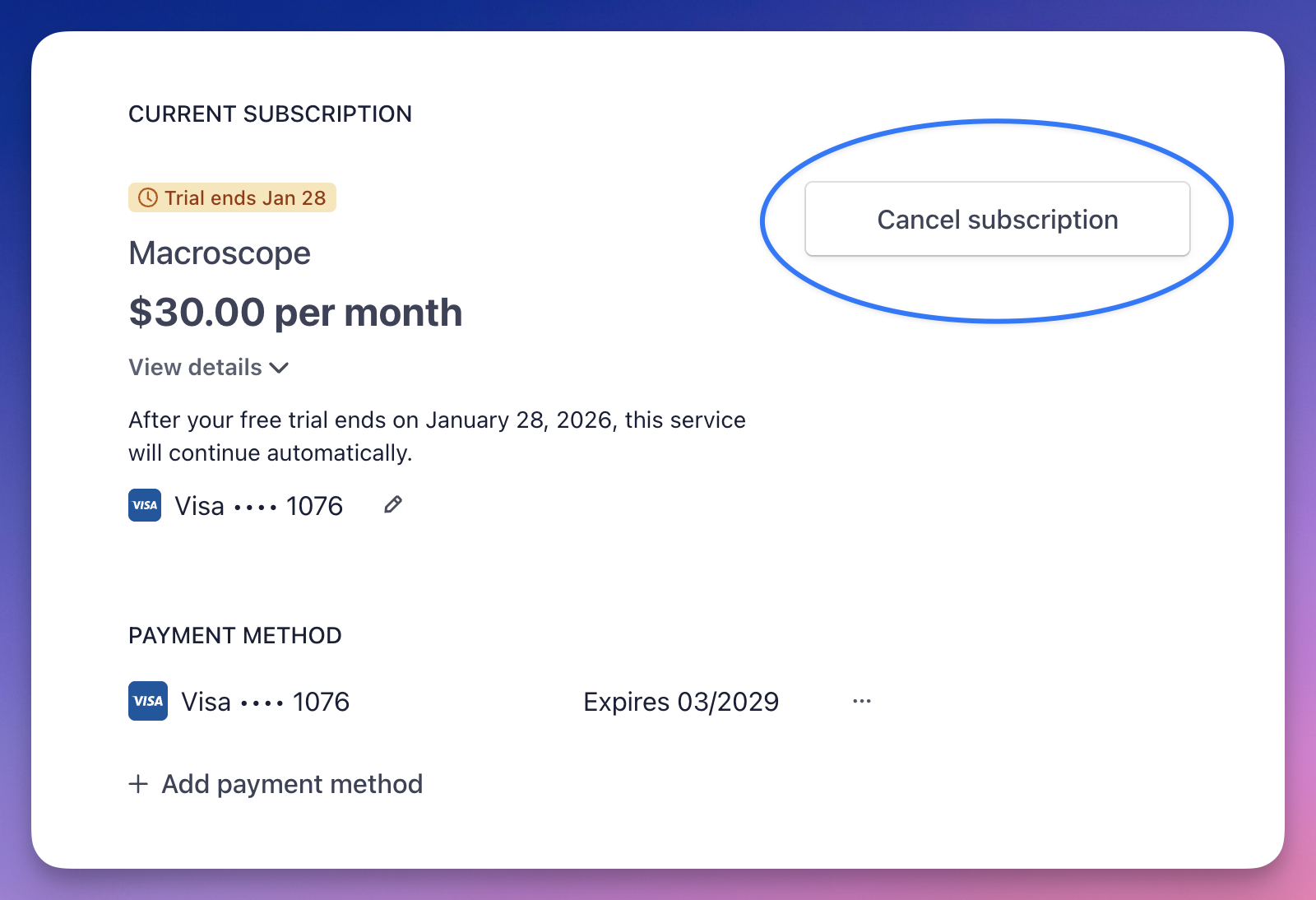 Your access will continue until the end of your current billing period.
## Contact Support
Email **[support@macroscope.com](mailto:support@macroscope.com)** to request cancellation.
Uninstalling the Macroscope GitHub app will also automatically cancel your subscription at the end of the trial or billing period.
Your access will continue until the end of your current billing period.
## Contact Support
Email **[support@macroscope.com](mailto:support@macroscope.com)** to request cancellation.
Uninstalling the Macroscope GitHub app will also automatically cancel your subscription at the end of the trial or billing period.