

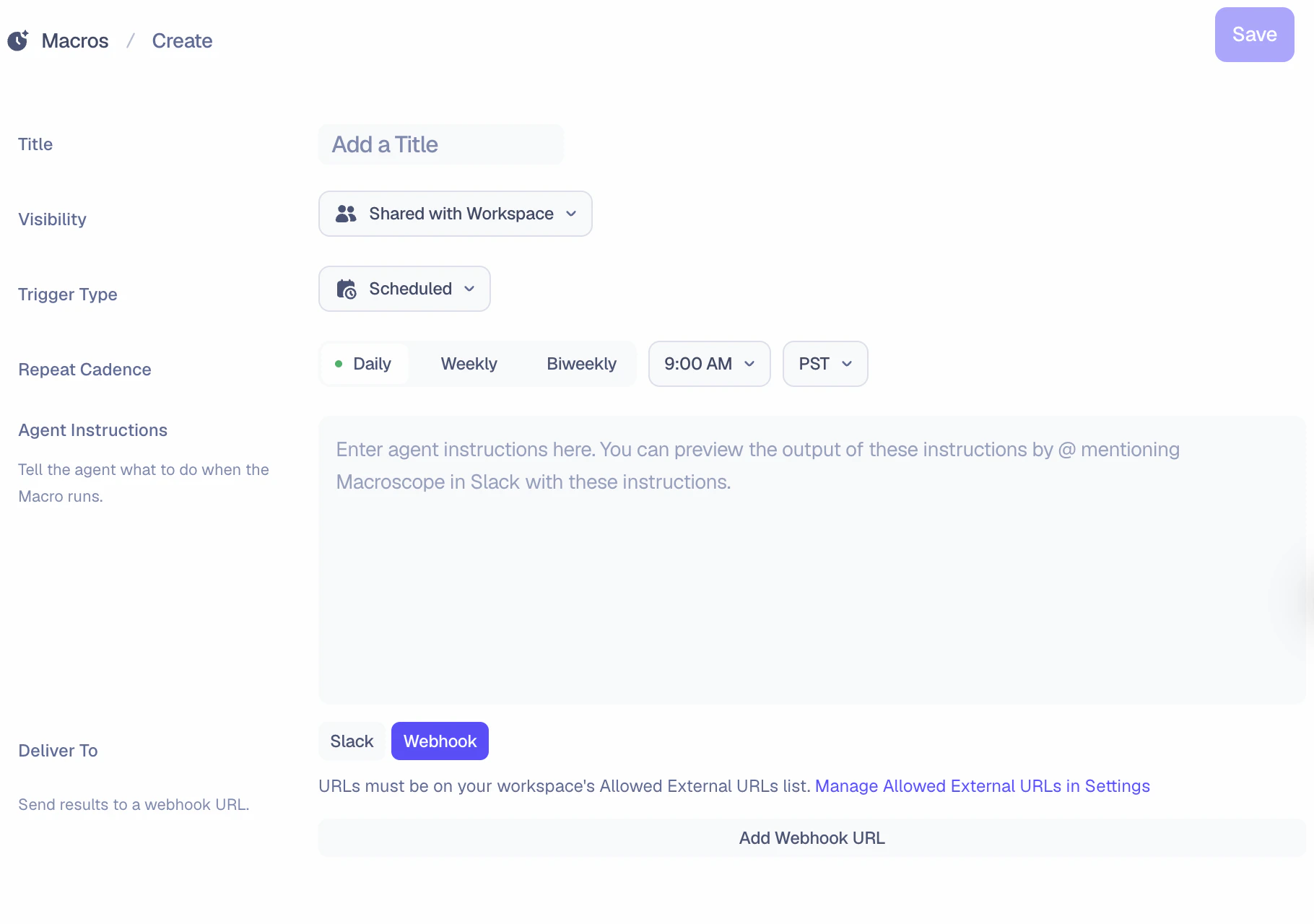
Triggers
Macros can run on a schedule or in response to events in your repositories.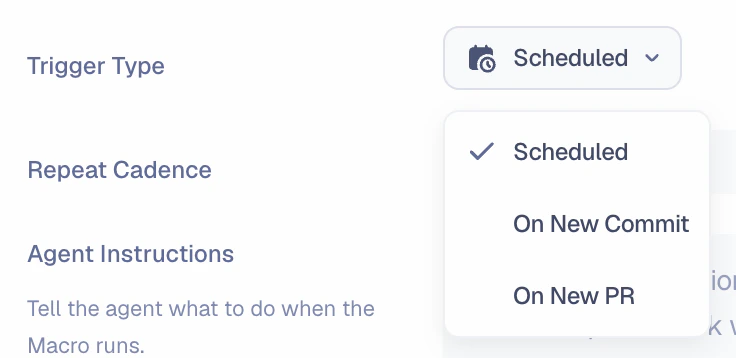
Scheduled
Run on a recurring cadence: daily, weekly, or biweekly. Each macro displays its next scheduled run in the header.
On New Commit
Run whenever a commit is pushed. Filter by repository or branch to target specific activity.
On New PR
Run whenever a pull request is opened. Filter by repository to focus on what matters.
Filtering
You can scope event-based macros by specifying filters in your agent instructions:- Repository: “Only run if this commit is in the
paymentsrepo” - Branch (commit-based only): “Only run if this commit is on
mainorrelease/*” - Author: “Only run if this PR was opened by Ryan or Claire”
Delivery
Choose where the macro sends its results.Slack
Post results to any Slack channel. To use a private channel, make sure @Macroscope is added to it first.
Webhook
Send results to any webhook URL. Route output to Zapier, Discord, n8n, or your own APIs.
Use Cases
Scheduled Macros
Daily Stand Up Notes
“Summarize all activity from the last 24 hours, grouped by contributor. Use short 1-3 bullets per person describing what they shipped and what’s still in progress. Include preview URLs for user-facing changes so teammates can easily check work.”
Weekly Product Updates
“Summarize everything shipped in the past 7 days in plain language, highlighting user-facing changes first. Use a lightweight, bulleted format with emojis for readability. Exclude technical implementation details unless they directly impact users. The audience is the entire company, which includes non-engineers.”
Event-Based Macros
Incident Alert to PagerDuty
Trigger: On new commit to
main“Check if this commit touches the billing module, onboarding flow, or API endpoints. If it does, summarize what changed, who authored it, and what the blast radius is. Format the output as JSON with fields: summary, author, affected_areas, risk_level.”Auto-Link PRs to Tickets
Trigger: On new PR“Search Linear for any tickets that look related to this PR based on the title, description, and changed files. If you find matches, comment on the PR with links to the relevant tickets.”
Stay in the Loop on Key PRs
Trigger: On new PR (filtered to your repo)“When a PR is opened by anyone on my team, send me a summary of what it changes and which areas of the codebase it touches.”
Release Branch Diff Summary
Trigger: On new commit to
release/*“Compare this commit against the last release tag. Summarize all changes included in this release so far, grouped by area. Flag any commits that haven’t been QA’d based on their Linear ticket status.”